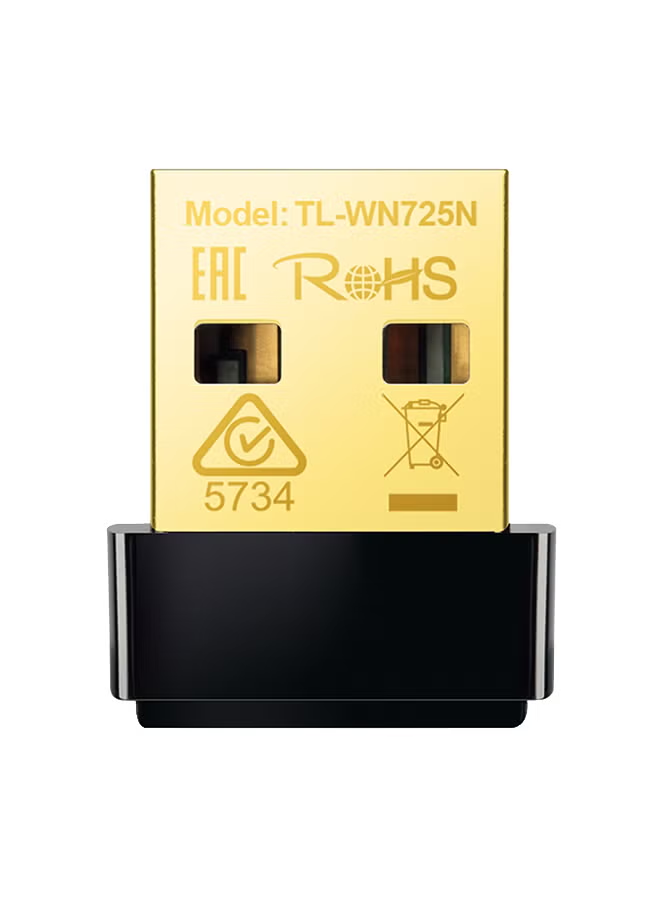
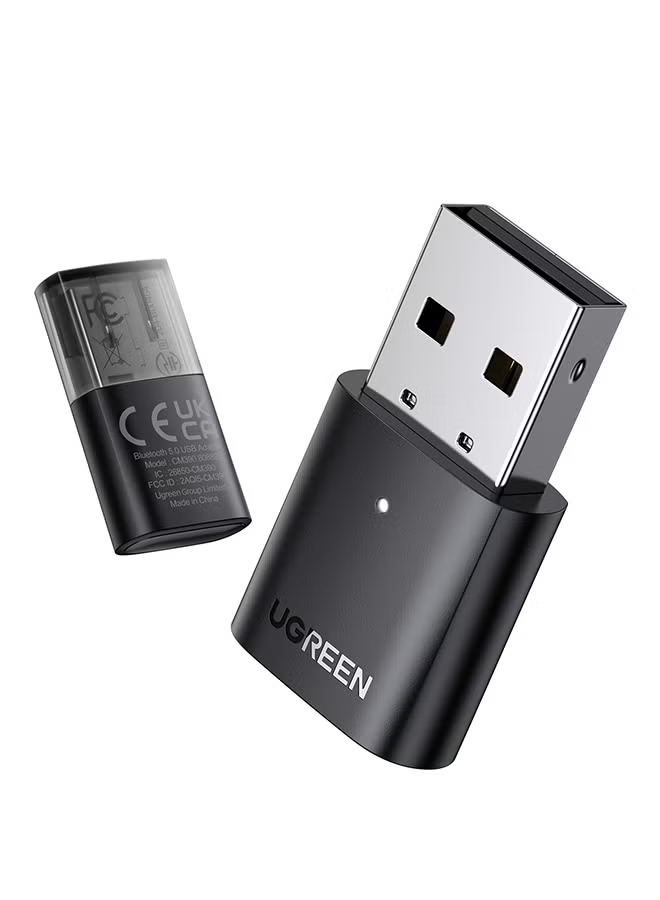
محول دونجل AC650 لاسلكي شبكي صغير بمنفذ USB وواي فاي ثنائي النطاق بتردد 2.4 جيجاهرتز و5 جيجاهرتز ومناسب لأجهزة الكمبيوتر بنظام تشغيل ويندوز 11 و10 و8.1 و8 و7 وماك 10.11-11.6 ولينكس 2.6.18-5.3 أسود
توافر: {{ product.quantity }} جرد
SKU: {{ product.sku }}
{{ product.price_format }}
{{ product.origin_price_format }}
{{ variable.name }}
【آلية التوصيل والتشغيل】: يدعم تردد 2.4 جيجاهرتز و5 جيجاهرتز ثنائي النطاق، وقد يصل النطاق اللاسلكي إلى 433 ميجابت في الثانية في تردد 5 جيجاهرتز، وقد تصل السرعة إلى 200 ميجابت في الثانية في تردد 2.4 جيجاهرتز. ملحوظة: سرعة إرسال المنتج مرتبطة بعوامل مثل قوة الإشارة اللاسلكية
【توافق واسع】: متوافق مع نظام تشغيل ويندوز 10/8.1/8/7، ولينكس 2.6.18-5.3، وماك 10.11-10.15. ملحوظة: نظام تشغيل ماك 11 والإصدارات الأحدث غير مدعومة
【حجر صغير】: حجم صغير للغاية باستهلاك منخفض للطاقة، حيث يمكنك تركه في اللابتوب أو الكمبيوتر دون الحاجة لإزالته
【سهل الاستخدام】: محول بمنفذ USB بخاصية الواي فاي يعمل بآلية التوصيل والتشغيل مع نظام تشغيل ويندوز 10، بينما تحتاج إلى برامج تشغيل مع نظام تشغيل ويندوز 8.1/8/7، ولينكس 2.6.18-5.3، ونظام ماك 10.11-10.15
قم بإدخال بطاقة الشبكة في منفذ USB في الكمبيوتر، ثم قم بوضع قرص CD الخاص ببرنامج التشغيل في محرك CD-ROM وقم بتشغيله (ملحوظة: إذا كان الكمبيوتر غير مزود بمحرك CD-ROM، فيرجى التوجه إلى الموقع الرسمي لـGreenlink لتحميل برنامج التشغيل وتثبيته)، وتشغيل ملف Setup.exe، وانتظر تقدم شريط تثبيت البرنامج حتى يكتمل. ثم اتصل بالشبكة اللاسلكية
<h3 class="a-spacing-mini">UGREEN AC650 USB Wifi Adapter</h3> <p class="a-spacing-base"> </p> <ul class="a-unordered-list a-vertical"> <li><span class="a-list-item">Say goodbye to wiring troubles, link to the net any time.</span></li> <li><span class="a-list-item">5G/2.4G dual-band ensures the network is stable and fast.</span></li> <li><span class="a-list-item">Compact Mini Size meets the needs of carrying.</span></li> <li><span class="a-list-item">433/200 Mbps high speed without loading and loss.</span></li> <li><span class="a-list-item">AP mode can convert your wired computer into a wifi hotspot.</span></li> </ul> <p> </p> <p class="a-spacing-base"><strong>Note: If your computer doesn't have a <span class="a-text-bold">CD Drive</span> to install the driver, you also can easily install the driver through the instructions of the <span class="a-text-bold">User Manual</span>. (Windows 11/10 doesn't need a driver)</strong></p> <p class="a-spacing-base"> </p> <h3 class="a-spacing-mini">433/200 Mbps High Speed Supported</h3> <p class="a-spacing-base"><span class="a-text-bold">Systems Supported</span></p> <p class="a-spacing-base"> </p> <ul class="a-unordered-list a-vertical"> <li><span class="a-list-item">Windows 11/10/8.1/8/7. (Only Windows 11/10 driver free)</span></li> </ul> <p> </p> <ul class="a-unordered-list a-vertical"> <li><span class="a-list-item">MacOS 10.11-11.6. (Require install driver)</span></li> </ul> <p> </p> <ul class="a-unordered-list a-vertical"> <li><span class="a-list-item">Linux 2.6.18-5.3. (Require install driver)</span></li> </ul> <p> </p> <ul class="a-unordered-list a-vertical"> <li><span class="a-list-item">Doesn't support other operating systems.</span></li> </ul> <p> </p> <ul class="a-unordered-list a-vertical"> <li><span class="a-list-item">Doesn't compatible with the Macbook with M1/M1 Pro/M1 Max Chip.</span></li> </ul> <p> </p> <h4 class="a-spacing-mini">Protective Cap</h4> <p> </p> <p>UGREEN USB wifi dongle is equipped with a dust protection cap, which can effectively avoid the oxidation or damage of the connector of the adapter when it's not in use.</p> <p> </p> <h4 class="a-spacing-mini">High Performance Chip</h4> <p> </p> <p>UGREEN AC650 USB Wifi Adapter is made with an RTL8811CU chip, which has excellent compatibility and compact size. It also has great performance with low power consumption.</p> <p> </p> <h4 class="a-spacing-mini">Led Indicator</h4> <p> </p> <p>UGREEN USB wireless network adapter design with a blue indicator light, which will stay on when the adapter works and flash with file transfer. Let you know the working status of the network card at all times.</p> <p> </p> <p><strong><span class="a-text-bold">QA & Troubleshooting</span></strong></p> <p> </p> <ul class="a-unordered-list a-vertical"> <li><span class="a-list-item">How can I troubleshoot if the internet speed is slower than expected?</span></li> </ul> <p> </p> <p> (1) Try to use the WiFi adapter in a place that has a stronger signal.</p> <p> </p> <p> (2) Manually adjust different channels for the router, and find out the optimal channel so that the interference is minimal.</p> <p> </p> <p> (3) Set the router to 2.4Ghz from 5Ghz for a try.</p> <p> </p> <p> (4) Check if the internet speed is normal if you connect a phone to the router’s WiFi in the same circumstance.</p> <p> </p> <ul class="a-unordered-list a-vertical"> <li><span class="a-list-item">What can I do if the WiFi signal can be detected, but cannot be connected successfully?</span></li> </ul> <p> </p> <p> (1) Check the signal strength. Try to connect the WiFi in a place that has a stronger signal.</p> <p> (2) Ensure you have input the correct password.</p> <p> (3) Check if the DHCP function of the router has been enabled. If not, the WiFi adapter won’t be able to obtain the IP address and connect the internet.</p> <p> (4) Check if you have set the binding of your Mac address with the router. If yes, you need to set the binding of Mac address with the WiFi adapter.</p> <p> (5) Ensure encryption type of your router is one of the WPA-PSK, WPA2-PSK, WPA/WPA2-PSK and 64/128-bit WEP.</p> <p> </p> <ul class="a-unordered-list a-vertical"> <li><span class="a-list-item">How can I troubleshoot if the internet speed is slower than expected?</span></li> </ul> <p> </p> <p> (1) Try to use the WiFi adapter in a place that has a stronger signal.</p> <p> </p> <p> (2) Manually adjust different channels for the router, and find out the optimal channel so that the</p> <p>interference is minimal.</p> <p> (3) Set the router to 2.4Ghz from 5Ghz for a try.</p> <p> </p> <p> (4) Check if the internet speed is normal if you connect a phone to the router’s WiFi in the same circumstance</p> <p> </p>
【توافق واسع】: متوافق مع نظام تشغيل ويندوز 10/8.1/8/7، ولينكس 2.6.18-5.3، وماك 10.11-10.15. ملحوظة: نظام تشغيل ماك 11 والإصدارات الأحدث غير مدعومة
【حجر صغير】: حجم صغير للغاية باستهلاك منخفض للطاقة، حيث يمكنك تركه في اللابتوب أو الكمبيوتر دون الحاجة لإزالته
【سهل الاستخدام】: محول بمنفذ USB بخاصية الواي فاي يعمل بآلية التوصيل والتشغيل مع نظام تشغيل ويندوز 10، بينما تحتاج إلى برامج تشغيل مع نظام تشغيل ويندوز 8.1/8/7، ولينكس 2.6.18-5.3، ونظام ماك 10.11-10.15
قم بإدخال بطاقة الشبكة في منفذ USB في الكمبيوتر، ثم قم بوضع قرص CD الخاص ببرنامج التشغيل في محرك CD-ROM وقم بتشغيله (ملحوظة: إذا كان الكمبيوتر غير مزود بمحرك CD-ROM، فيرجى التوجه إلى الموقع الرسمي لـGreenlink لتحميل برنامج التشغيل وتثبيته)، وتشغيل ملف Setup.exe، وانتظر تقدم شريط تثبيت البرنامج حتى يكتمل. ثم اتصل بالشبكة اللاسلكية
<h3 class="a-spacing-mini">UGREEN AC650 USB Wifi Adapter</h3> <p class="a-spacing-base"> </p> <ul class="a-unordered-list a-vertical"> <li><span class="a-list-item">Say goodbye to wiring troubles, link to the net any time.</span></li> <li><span class="a-list-item">5G/2.4G dual-band ensures the network is stable and fast.</span></li> <li><span class="a-list-item">Compact Mini Size meets the needs of carrying.</span></li> <li><span class="a-list-item">433/200 Mbps high speed without loading and loss.</span></li> <li><span class="a-list-item">AP mode can convert your wired computer into a wifi hotspot.</span></li> </ul> <p> </p> <p class="a-spacing-base"><strong>Note: If your computer doesn't have a <span class="a-text-bold">CD Drive</span> to install the driver, you also can easily install the driver through the instructions of the <span class="a-text-bold">User Manual</span>. (Windows 11/10 doesn't need a driver)</strong></p> <p class="a-spacing-base"> </p> <h3 class="a-spacing-mini">433/200 Mbps High Speed Supported</h3> <p class="a-spacing-base"><span class="a-text-bold">Systems Supported</span></p> <p class="a-spacing-base"> </p> <ul class="a-unordered-list a-vertical"> <li><span class="a-list-item">Windows 11/10/8.1/8/7. (Only Windows 11/10 driver free)</span></li> </ul> <p> </p> <ul class="a-unordered-list a-vertical"> <li><span class="a-list-item">MacOS 10.11-11.6. (Require install driver)</span></li> </ul> <p> </p> <ul class="a-unordered-list a-vertical"> <li><span class="a-list-item">Linux 2.6.18-5.3. (Require install driver)</span></li> </ul> <p> </p> <ul class="a-unordered-list a-vertical"> <li><span class="a-list-item">Doesn't support other operating systems.</span></li> </ul> <p> </p> <ul class="a-unordered-list a-vertical"> <li><span class="a-list-item">Doesn't compatible with the Macbook with M1/M1 Pro/M1 Max Chip.</span></li> </ul> <p> </p> <h4 class="a-spacing-mini">Protective Cap</h4> <p> </p> <p>UGREEN USB wifi dongle is equipped with a dust protection cap, which can effectively avoid the oxidation or damage of the connector of the adapter when it's not in use.</p> <p> </p> <h4 class="a-spacing-mini">High Performance Chip</h4> <p> </p> <p>UGREEN AC650 USB Wifi Adapter is made with an RTL8811CU chip, which has excellent compatibility and compact size. It also has great performance with low power consumption.</p> <p> </p> <h4 class="a-spacing-mini">Led Indicator</h4> <p> </p> <p>UGREEN USB wireless network adapter design with a blue indicator light, which will stay on when the adapter works and flash with file transfer. Let you know the working status of the network card at all times.</p> <p> </p> <p><strong><span class="a-text-bold">QA & Troubleshooting</span></strong></p> <p> </p> <ul class="a-unordered-list a-vertical"> <li><span class="a-list-item">How can I troubleshoot if the internet speed is slower than expected?</span></li> </ul> <p> </p> <p> (1) Try to use the WiFi adapter in a place that has a stronger signal.</p> <p> </p> <p> (2) Manually adjust different channels for the router, and find out the optimal channel so that the interference is minimal.</p> <p> </p> <p> (3) Set the router to 2.4Ghz from 5Ghz for a try.</p> <p> </p> <p> (4) Check if the internet speed is normal if you connect a phone to the router’s WiFi in the same circumstance.</p> <p> </p> <ul class="a-unordered-list a-vertical"> <li><span class="a-list-item">What can I do if the WiFi signal can be detected, but cannot be connected successfully?</span></li> </ul> <p> </p> <p> (1) Check the signal strength. Try to connect the WiFi in a place that has a stronger signal.</p> <p> (2) Ensure you have input the correct password.</p> <p> (3) Check if the DHCP function of the router has been enabled. If not, the WiFi adapter won’t be able to obtain the IP address and connect the internet.</p> <p> (4) Check if you have set the binding of your Mac address with the router. If yes, you need to set the binding of Mac address with the WiFi adapter.</p> <p> (5) Ensure encryption type of your router is one of the WPA-PSK, WPA2-PSK, WPA/WPA2-PSK and 64/128-bit WEP.</p> <p> </p> <ul class="a-unordered-list a-vertical"> <li><span class="a-list-item">How can I troubleshoot if the internet speed is slower than expected?</span></li> </ul> <p> </p> <p> (1) Try to use the WiFi adapter in a place that has a stronger signal.</p> <p> </p> <p> (2) Manually adjust different channels for the router, and find out the optimal channel so that the</p> <p>interference is minimal.</p> <p> (3) Set the router to 2.4Ghz from 5Ghz for a try.</p> <p> </p> <p> (4) Check if the internet speed is normal if you connect a phone to the router’s WiFi in the same circumstance</p> <p> </p>
المواصفات
| رقم الموديل | 20204 |
|---|---|
| اسم اللون | أسود |
| اسم الموديل | CM448 |
| محتويات العلبة | UGREEN USB WiFi Adapter for Desktop |
| عدد القطع | 1 |
| جيل منفذ USB | USB 2.0 |
| تقنية النطاق | ثنائي النطاق |
| المعيار اللاسلكي | شبكة 5G |
| Max Data Transfer Rate | 433 MBps |